After Effects subtitles

Turn selected media into editable caption comps.

Motion Workbench transcribes selected audio or video with local Whisper models, lets you review the transcript, applies reusable caption styles, and creates timed After Effects text layers.

Subtitle Transcription Whisper local model
_2E2-tr.mp4720x1280 | 10.64s | Auto language
Transcribe
Bold BoxReusable caption preset
Transcript Review00:00 - 00:03 Your first caption line
Fade 2 frames | Offset 2 framesCaption timing controls
Create Subtitle Comp

See the workflow

From waveform to styled, editable caption layers.

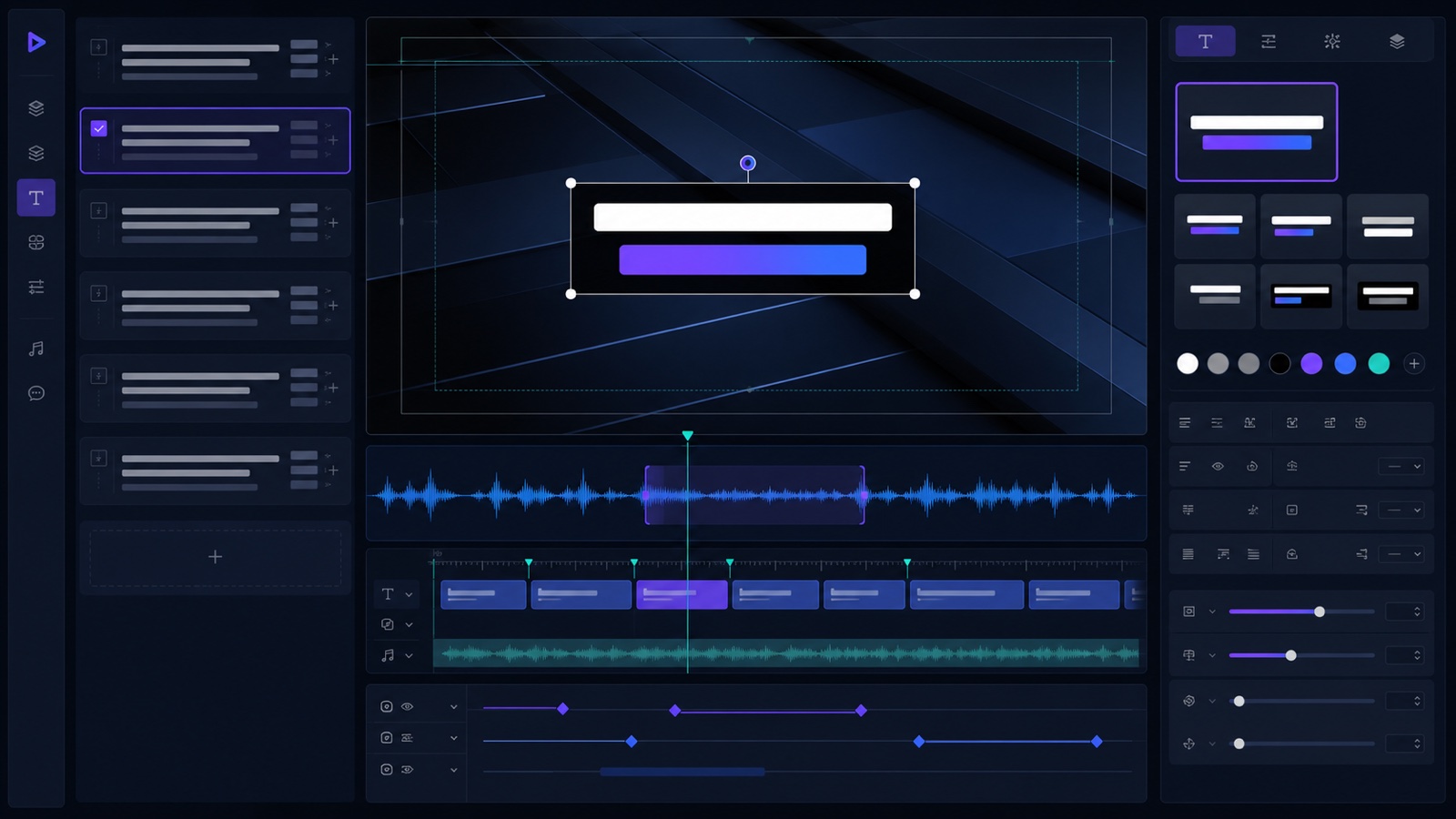
The showcase brings transcription, segment review, preset selection, and timeline output into one visual. A matching tutorial can be placed above it later.

Conceptual Motion Workbench subtitle interface with waveform segments, caption preset preview, and timed editable layers
Conceptual product visualization of the local subtitle workflow.

Workflow map

Transcribe, review, style, and create.

01Select mediaChoose audio or video in the Project panel.
02TranscribeRun a local Whisper model with the right language.
03ReviewEdit grouped segments and check their timing.
04CreateApply a preset and build editable caption layers.

Caption workflow

Designed for short-form captions and editable typography.

Local transcription

Use local Whisper models so caption generation can run on your machine without sending every media file to a web service.

Reusable styles

Build caption templates from selected After Effects text layers, including font, fill, stroke, effects, and basic timing setup.

Timed text layers

Create editable subtitle text layers with fade in, fade out, offset controls, and safer text box sizing for different languages.

Steps

Caption a clip without leaving After Effects.

  1. Select an audio or video item in the Project panel.
  2. Choose a Whisper model and transcribe the media.
  3. Review transcript segments and choose a caption style template.
  4. Create a subtitle comp with editable text layers and timing controls.