After Effects media import

Bring your own online media back into the project.

Motion Workbench helps editors download media they own or have permission to use, import it into After Effects, and save it next to the active project for a cleaner production folder.

Media Import Video | GIF
Media URLYouTube, Instagram, TikTok, Pinterest, or direct video URL
Download
Download section onlyStart 00:43 | End 01:00
Save location_downloaded folder next to the project
Imported to ProjectDownloaded file is ready in After Effects
Complete

See the workflow

A permitted media URL becomes a project-ready asset.

The showcase explains the download and import journey at a glance. A dedicated tutorial can later appear first while this overview remains below it.

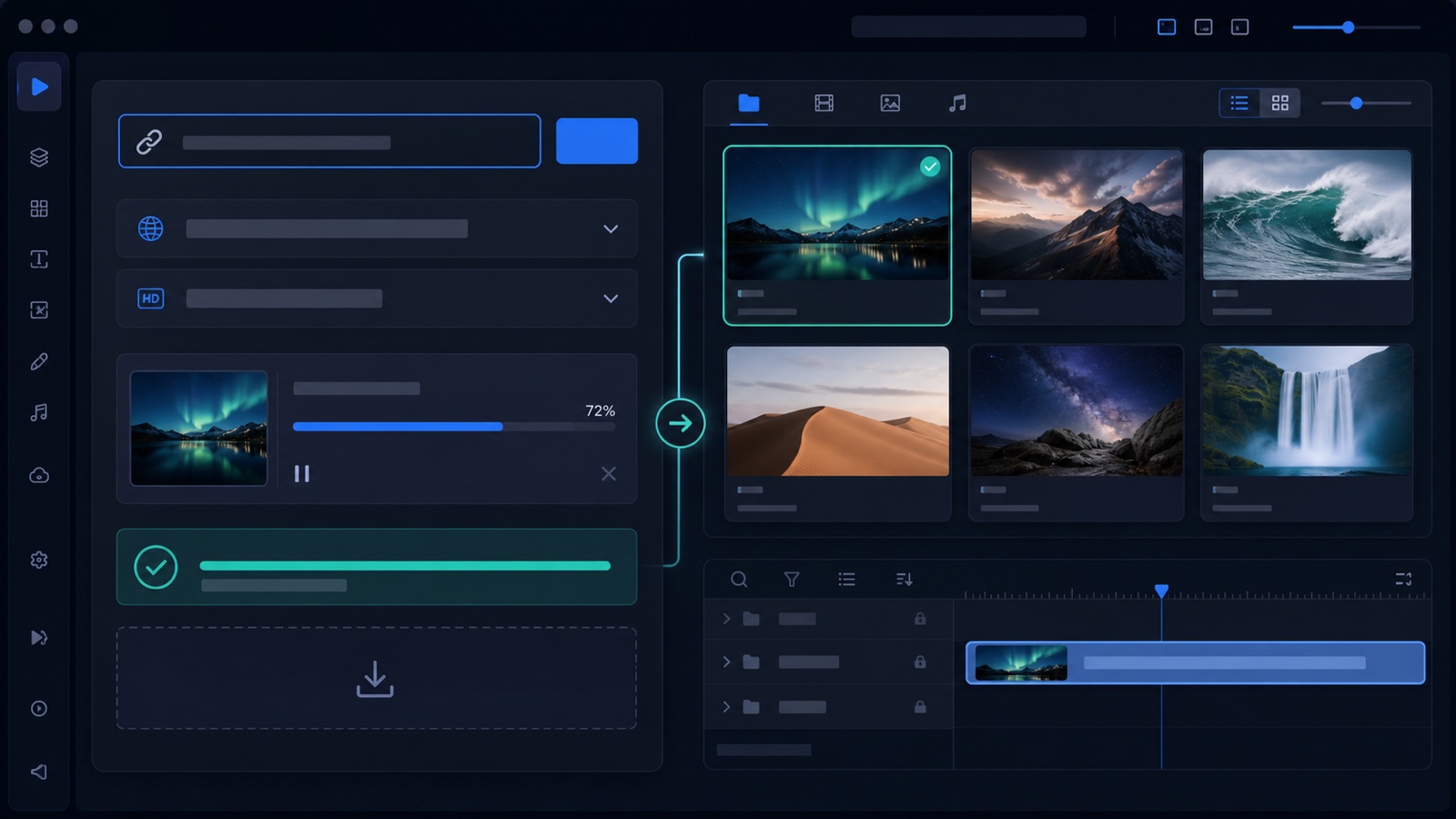
Conceptual Motion Workbench media import interface with URL controls, download progress, thumbnails, and an imported timeline asset
Conceptual product visualization of the owned or permitted media import workflow.

Workflow map

Paste, choose, download, and import.

01Paste URLUse a link for media you own or may download.
02Choose outputSelect source, quality, and an optional time range.
03DownloadUse the locally installed media tools.
04ImportAdd the finished file to the active project.

Import tools

Focused on owned media and production convenience.

URL download

Download your own public videos or direct media links and import the resulting file into the active After Effects project.

Time range downloads

For long videos, download only the section you need instead of waiting for a full one-hour file when the first few minutes are enough.

GIF and icon workflow

Search GIFs or open icon sets, then bring useful visual assets into the project as part of a faster content assembly workflow.

Important

Use it only for media you can legally download.

  1. Paste a URL for media you own, manage, or have permission to download.
  2. Choose source, quality, and optional time range.
  3. Confirm permission before downloading.
  4. Import the downloaded file into the current After Effects project.